Articles / Own your tech
The $0 Cloud: How to Self-Host Your Digital Life
Stop paying the 'invisible tax' on your own data. Learn how to replace Google Photos, 1Password, and Dropbox with a one-time hardware purchase and open-source software.
What does cloud storage really cost over 30 years?
If you pay ten dollars a month for two terabytes of cloud storage, you aren't just buying space. You are signing a thirty-year lease that will cost you at least three thousand six hundred dollars. That is the baseline price before the inevitable 'inflation adjustments' arrive to hike the rent on your own digital memories.
We are looking at the exact hardware and open-source software required to replace Google Photos, 1Password, and Dropbox with a private system you own outright. It is time to stop paying an invisible tax on your own files.
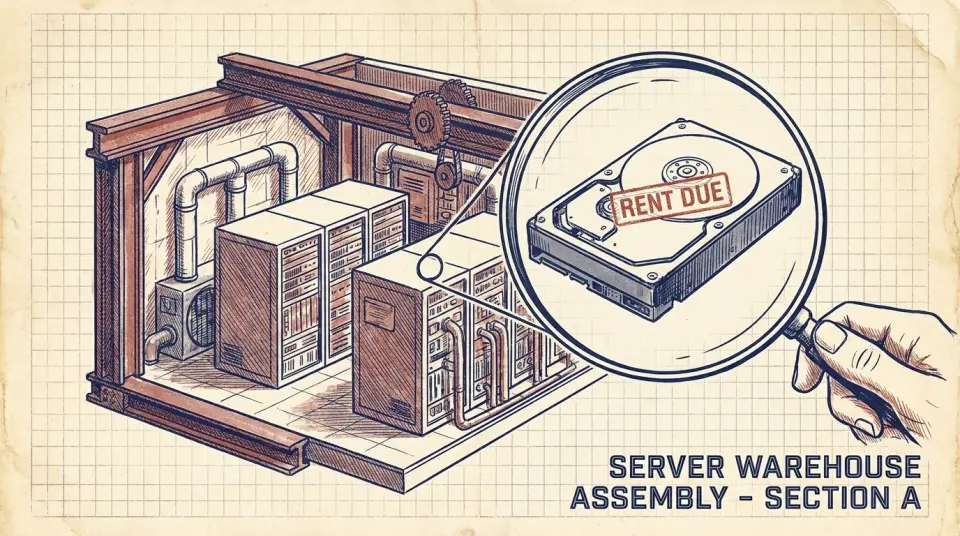
First, we must understand the mechanics of the 'Cloud.' Despite the ethereal name, the cloud is simply a massive warehouse of someone else’s computers. Companies like Google or Apple buy hard drives in bulk and rent them back to you at a massive markup, wrapped in a convenient interface. When you self-host, you are simply moving that warehouse into your own living room. The technology has matured to the point where a device the size of a lunchbox can outperform the basic services you're currently renting. It is a one-time capital expense versus a perpetual monthly drain.
How do you replace Google Photos for $250?
Let’s look at the first category of the invisible tax: Photo Storage. Google Photos used to be free, but now that they have captured the market, they charge roughly twenty dollars a year for a measly hundred gigabytes. If you have a family, that storage fills up in months, not years. The professional alternative is Immich. It is an open-source high-performance photo management system that looks and feels exactly like Google Photos. It has the same mobile upload features, the same facial recognition, and the same map views, but it runs on your hardware, under your roof.
To run Immich, you need a basic Mini-PC. A refurbished machine from a reputable brand usually costs around one hundred and fifty dollars. Add a high-capacity four-terabyte drive for roughly one hundred dollars. Your total entry cost is two hundred and fifty dollars for a permanent solution. Compare that to the cloud. Four terabytes of storage on a major platform would cost you about twenty-four dollars every single month. Within ten months, your hardware has paid for itself. Every month after that is a pure profit of twenty-four dollars back into your pocket.
Ledger entry: Photo storage costs. Cloud: three hundred dollars per year, forever. Self-hosted: two hundred and fifty dollars once, then zero. The machine is now working for you, not against you.
Replacing a $36 a year password manager
Next is the security machine: Password Managers. Services like 1Password or LastPass are excellent, but they charge roughly thirty-six dollars a year for a personal account. If the company experiences a breach or changes their terms, your most sensitive data is at the mercy of their corporate roadmap. The solution is Vaultwarden. It is a lightweight version of Bitwarden that you can host on the same Mini-PC you’re using for photos. It uses the same industry-standard encryption, but your encrypted vault stays on your hardware. No one can lock you out of your own keys.
Can Nextcloud replace Dropbox and Google Docs?
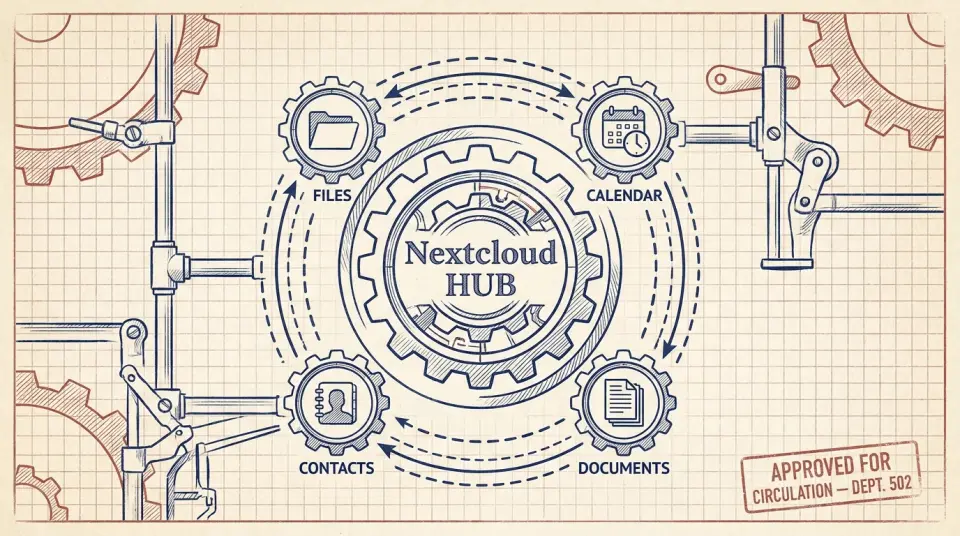
Now, let’s talk about the 'Everything App', Nextcloud. This is the Swiss Army knife of self-hosting. It replaces Dropbox for file syncing, Google Calendar for scheduling, and even Google Docs for collaborative editing. It is a full office suite that lives on your personal server. Dropbox charges twelve dollars a month for a basic professional plan. Over five years, that is seven hundred and twenty dollars. Nextcloud costs nothing to download and run. It uses the same hard drive space you already bought for your photo server.
The transition to Nextcloud feels like moving into a house you finally own. You can customize the storage limits, add as many users as you want for your family or small business, and you never have to worry about a 'storage full' notification ever again. Ledger entry: Office and File productivity. Cloud: one hundred and forty dollars per year. Self-hosted: zero. Total annual savings across photos and files is now approaching five hundred dollars.
Is self-hosting too technical for most people?
Many people fear the setup. They imagine rows of green text on a black screen and complex coding. But the modern self-hosting landscape uses a technology called Docker. Think of Docker like a shipping container for software. It makes installation as simple as copy-pasting a few lines of configuration.

You don't need to be a developer to manage this. Most of these 'containers' are maintained by the community and updated automatically. Once the machine is built, it requires roughly fifteen minutes of maintenance a month, less time than you spend arguing with a customer service chatbot.
Self-hosted notes instead of Evernote at $15 a month
The final piece of the puzzle is the 'Knowledge Machine.' If you use Notion or Evernote, you are paying for the privilege of storing your own thoughts. Evernote, for instance, has recently hiked its price to roughly fifteen dollars a month for their personal plan. The self-hosted alternative is Obsidian or SilverBullet. These tools use simple Markdown files, plain text that can be read by any computer in thirty years. You sync these files across your devices using the Nextcloud server we already set up.
This creates a 'Local First' workflow. Your notes are available even if your internet is out, because they live on your device, not on a server in Virginia. Speed is the byproduct of ownership; there is no loading spinner when the data is already there. Ledger entry: Note-taking and Knowledge. Cloud: one hundred and eighty dollars per year. Self-hosted: zero. We have now reached a total annual invisible tax reduction of nearly seven hundred dollars.
Backups, hardware and remote access for a home server
Of course, ownership comes with responsibility. If your house burns down, or your hard drive fails, your data is gone, unless you have a backup. In the self-hosting world, we follow the 3-2-1 rule: Three copies of data, on two different types of media, with one copy off-site.
For the off-site copy, you can use a service like Backblaze B2. Unlike consumer cloud storage, this is 'cold storage' for backups. It costs roughly six dollars per month for a terabyte. It is the only recurring cost you might actually want to keep, as an insurance policy, not a lifestyle. Alternatively, you can place a second Mini-PC at a friend’s house and sync your data to each other. This is called 'Federated Backup.' You provide storage for them, they provide storage for you. Total monthly cost: zero.
Let's talk about the hardware 'Machine.' You don't need a server rack. A used Dell Optiplex or a modern Beelink Mini-PC is silent, uses less electricity than a lightbulb, and can sit behind your monitor or in a closet. In terms of power cost, running a Mini-PC twenty-four-seven adds roughly fifteen to twenty dollars a year to your electric bill. This is a negligible fraction of the hundreds you are saving by firing the cloud providers.
To access your server from outside your home, you use a 'Tunnel.' Tools like Tailscale or Cloudflare Tunnels allow you to securely connect to your photos or files from a coffee shop without exposing your home network to hackers. It’s a secure, private bridge. This setup creates a 'Digital Sovereignty.' You are no longer subject to the whim of an algorithm that might flag a photo of your toddler as 'violating terms of service' and lock your entire digital life without an appeals process.
The final ledger: $250 once versus $700 a year
We often talk about financial independence as a large, distant goal. But independence is actually built in small, mechanical steps. Reclaiming your data from the rental economy is a low-hanging fruit that pays dividends every month for the rest of your life. Final Ledger: Initial setup cost: roughly two hundred and fifty dollars. Annual recurring savings: seven hundred dollars. Return on investment: two hundred and eighty percent in the first year alone. In year two, your ROI is infinite.
Self-hosting is not about being a tech wizard. It is about being a tech owner. It is about moving from a consumer who rents their digital existence to an architect who builds it. The tools are free, the hardware is cheap, and the freedom is absolute. If you are ready to start, the first step is simply to stop the bleeding. Audit your subscriptions today. Look for the 'invisible taxes' on your bank statement and ask if that machine is working for you, or if you are working for it.
Every dollar you claw back from a subscription is a dollar that can go toward real assets. Your data belongs to you. Your memories belong to you. Your money should belong to you, too. It’s time to bring the cloud home. Final ledger entry: Subscription dependency zeroed. Digital sovereignty achieved. The machine is now yours.
Watch this one on YouTube or subscribe to the channel for the next breakdown.